
How many times have you plugged two cities into Google Maps, seen “6 hours,” and thought that’s an easy half-day drive — only to arrive 9 hours later, exhausted, with no energy to explore anything once you get there?
The problem is not your driving. It is how you estimate time. Most road trip planners calculate distance in miles. But you do not drive miles. You drive hours. And those hours get eaten by traffic, bathroom breaks, food stops, construction zones, and the simple fact that your body needs to move after three hours in a seat.
This article is a road trip planner by time. Not by mileage. You will get a concrete method to build a daily driving schedule, a sample 5-day itinerary, the three biggest timing mistakes to avoid, and a clear framework to decide how many hours you should actually drive each day. This is not legal advice — consult a licensed attorney for any legal questions related to driving regulations or insurance.
The 7-Hour Trap: Why Most Drivers Overestimate Their Daily Range
The single most common mistake in road trip planning is taking the GPS time at face value and assuming you can drive that fast every day.
Here is what actually happens on a 7-hour drive day:
- You leave at 8:00 AM after packing, loading the car, and getting coffee. Real departure: 8:45 AM.
- First gas stop + bathroom break at 10:30 AM. That is 20 minutes, not 5.
- Lunch at 12:30 PM. 45 minutes minimum if you sit down.
- Second gas/bathroom break around 3:00 PM. Another 20 minutes.
- You hit construction or a slowdown. Add 30–60 minutes.
- You arrive at 5:30 PM instead of 3:00 PM. You have lost 2.5 hours of daylight and any desire to visit that scenic overlook.
The math is brutal: a 7-hour GPS drive almost always becomes 9–10 hours door-to-door. Over a week-long trip, that compounds into lost afternoons, skipped attractions, and a general feeling that you spent the whole trip inside a car.
First-principles fix: The road trip exists to see places, not to prove you can cover distance. Every hour you spend driving is an hour you are not spending at a viewpoint, a diner, a trailhead, or a museum. Plan for the experience, not the odometer.
For a 7-day trip, cap your drive days at 5 hours of GPS time max. For a 10-day trip, 4 hours is a better ceiling. You will thank yourself on day 4.
How to Build a Daily Driving Schedule That Actually Works
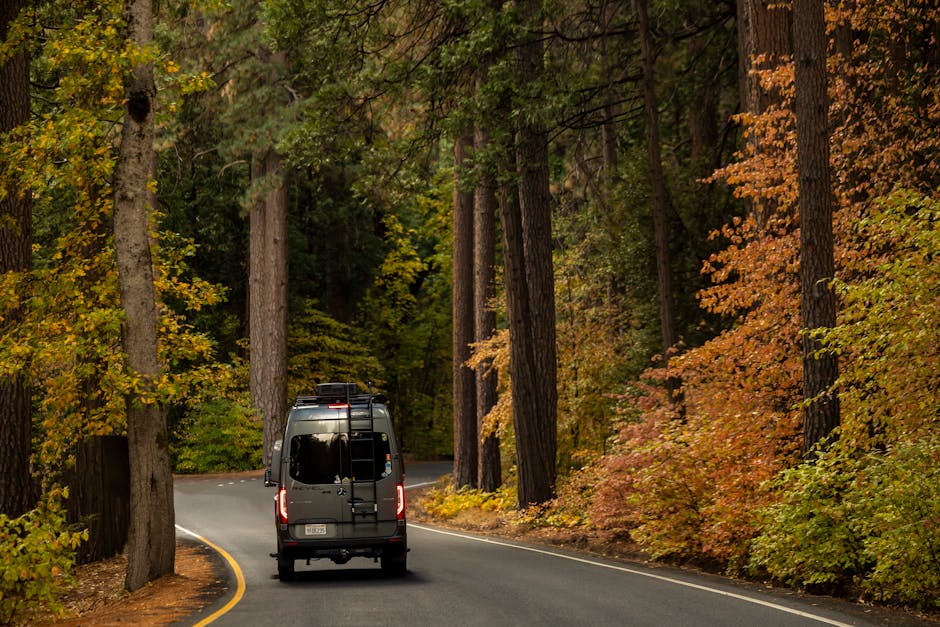
Here is the exact method I use. Write this down.
Step 1: Get the raw GPS time
Open Google Maps or Waze. Enter your start and end point for the day. Note the time shown. Do not use Apple Maps for this — it tends to underestimate by 10–15% on longer routes.
Step 2: Add the penalty
Multiply the GPS time by 1.3. That is your realistic door-to-door time. A 5-hour GPS drive becomes 6.5 hours. A 6-hour GPS drive becomes 7.8 hours. This accounts for stops, slowdowns, and the fact that you are not a robot.
Step 3: Subtract buffer for arrival time
You want to arrive at your destination no later than 4:00 PM. This gives you time to check in, stretch your legs, and do something before dinner. Work backward from 4:00 PM using your realistic time.
Example: 4:00 PM minus 6.5 hours = 9:30 AM departure. That means you need to be on the road by 9:30 AM, not “leaving the house” at 9:30 AM.
Step 4: Plan your stops in advance
Do not wing it. Identify two or three specific rest stops or towns along the route where you will stop. Use GasBuddy to find cheap fuel stations near the highway. Route your lunch stop to a town with a diner or a grocery store, not a fast-food chain at a rest area. These planned stops feel like part of the trip, not interruptions.
Step 5: Build in one “bonus” stop per day
Look at the map for a short detour — a state park, a quirky roadside attraction, a viewpoint that is 10 minutes off the highway. Plan 30 minutes there. This turns a driving day into a travel day.
Verdict: This method works for any trip length. The key is the 1.3x multiplier. Test it on a short drive first. You will see it is eerily accurate.
Sample 5-Day Road Trip Itinerary (Driven by Time, Not Miles)
This example assumes a route from Denver, CO to Moab, UT, then looping back through the Rocky Mountains. Total GPS driving time without stops: about 18 hours. Most people try to do this in 3 days and burn out. Here is a 5-day version that leaves you relaxed.
| Day | Route | GPS Time | Realistic Time (×1.3) | Planned Stops | Arrival Target |
|---|---|---|---|---|---|
| 1 | Denver → Glenwood Springs | 3h 15m | 4h 15m | Idaho Springs (coffee), Dotsero (gas) | 1:30 PM |
| 2 | Glenwood Springs → Moab | 3h 45m | 4h 50m | Grand Junction (lunch), Colorado National Monument (30-min viewpoint) | 2:00 PM |
| 3 | Moab (Arches & Canyonlands) | 0 | 0 | Full day exploring — no driving between cities | — |
| 4 | Moab → Durango | 4h 00m | 5h 15m | Monticello (gas), Mesa Verde overlook (20-min detour) | 3:30 PM |
| 5 | Durango → Denver (via Wolf Creek Pass) | 5h 30m | 7h 10m | Pagosa Springs (lunch), Salida (gas + stretch) | 4:00 PM |
Notice that no drive day exceeds 4 hours of GPS time except the last day, which is the return home. Day 3 is a zero-drive day. That is not wasted time — that is the entire point of the trip.
Key insight: The 5-hour GPS limit is not arbitrary. At 5 hours of GPS time, your realistic day is about 6.5 hours. That leaves you arriving at 3:30–4:00 PM with enough energy to actually do something. Push past 5 hours of GPS time and you arrive at 6:00 PM or later, and all you want is a shower and bed.
Three Timing Mistakes That Ruin Road Trips (and How to Avoid Them)
Mistake 1: Assuming you can drive 8 hours every day.
You can. For one day. By day three, your reaction time slows, your back hurts, and you start making risky decisions to “just get there.” The research is clear: driver fatigue after 8+ hours behind the wheel is comparable to driving with a blood alcohol content of 0.05%. Plan for 5 hours of GPS time max on consecutive driving days. If you must do a longer day, follow it with a zero-drive day.
Mistake 2: Not accounting for time zone changes.
This sounds obvious, but I have watched people plan a drive from Denver to Salt Lake City (normally 8 hours GPS) and forget that they lose an hour crossing into Mountain Time from Mountain Time? No, wait — both are Mountain Time. But if you drive from Nashville to Oklahoma City, you gain an hour going west and lose it going east. That changes your arrival time, your dinner plans, and your hotel check-in. Always check time zone boundaries on your route before you leave.
Mistake 3: Planning every day like it is a perfect weather day.
Rain, snow, fog, and wind all reduce safe driving speed. A 5-hour GPS drive in clear weather becomes 7+ hours in a thunderstorm. Build one “weather buffer” day into any trip longer than 5 days. That is a day with no driving planned — you stay put at a nice town and explore locally. If the weather holds, you use it as an extra adventure day. If it does not, you are not stressed.
One more thing: Do not trust GPS time estimates for mountain roads. A 60-mile stretch through the Rockies can take 2 hours, not 1. Google Maps is better than it used to be, but it still underestimates winding two-lane highways. If your route includes significant elevation changes or curves, add 20% to the GPS time.
When to Drive Less Than 4 Hours (and When to Push to 6)
Not every road trip is the same. Here is a framework to decide your daily driving limit based on your specific situation.
Drive 3–4 hours max when:
- You have kids under 10 in the car. Their tolerance is about 2 hours before they need a real break.
- You are traveling solo. Driver fatigue hits harder without someone to talk to.
- Your destination has a lot to do in the afternoon. Arriving at 1:00 PM vs. 4:00 PM can mean two extra hikes or museum visits.
- You are driving a rental car you are not used to. Seat ergonomics matter more than you think.
You can push to 5–6 hours GPS when:
- You have a co-driver who can take over for at least 2 hours.
- The route is mostly interstate highway with predictable traffic.
- You are on the last day heading home and just want to get there.
- You have a high-quality audio setup — Audible audiobooks or long-form podcasts make the time pass faster and keep your brain engaged.
Never drive more than 6 hours GPS in a single day, period. The safety data is unambiguous: crash risk doubles after 6 hours of continuous driving, and triples after 8 hours. No destination is worth that risk.
Tradeoff to consider: A 4-hour drive day means you cover less ground. You might skip a city you wanted to visit. That is fine. The tradeoff is that you actually experience the places you do visit. A road trip where you see 5 cities but remember none of them is worse than a road trip where you see 3 cities and remember all of them.
Tools and Apps That Make Time-Based Planning Easier

You do not need to do this math in your head. Here are the tools I use for every trip.
Google Maps — but with a caveat
Use it for raw driving time, but apply the 1.3x multiplier manually. The “Depart at” and “Arrive by” features are useful for checking traffic patterns — set your departure time to see what traffic will look like at that hour.
Roadtrippers
This app lets you plan a route and add stops along the way. It shows you the total driving time as you add stops, so you can see in real time how that “quick” detour to a national monument adds 45 minutes. It also surfaces interesting stops you would never find on your own.
GasBuddy
Plan fuel stops in advance. Filter by diesel or regular. The trip cost calculator helps you estimate fuel budget before you leave. On a 10-day trip, using GasBuddy to find cheap stations can save you $40–60.
Audible or Spotify
Long drives need audio that keeps you alert. Audiobooks with good narrators (try the “Project Hail Mary” audiobook) or long-form narrative podcasts (“Serial,” “The Dropout”) are better than music, which can lull you into a trance. Download everything before you leave — cell service dies in rural areas.
A physical map (yes, really)
Buy a paper road atlas for the region you are driving through. When your phone loses signal in a canyon or a national park, that map is your backup. It also gives you a better sense of distance and geography than a phone screen does. The Rand McNally Road Atlas is the standard choice — about $15, spiral-bound, fits under a seat.
Verdict: Use Google Maps for routing, Roadtrippers for stops, GasBuddy for fuel, and a paper map for backup. That combination covers every scenario.
Summary: The 5-Hour Rule and What to Do With Your Saved Time
Here is the compressed version of everything above.
- Cap GPS driving time at 5 hours per day. That gives you a realistic 6.5-hour day door-to-door.
- Multiply GPS time by 1.3 to get your real schedule.
- Arrive by 4:00 PM so you have daylight and energy left.
- Plan one zero-drive day for every 4–5 days of travel.
- Use the 1.3x rule for mountain roads too — elevation changes eat time.
- Never drive more than 6 hours GPS in a day. Safety first.
If you follow this framework, you will gain back 2–3 hours every single day of your trip. That is time you can spend hiking a trail, eating at a local restaurant, or just sitting on a bench watching the sunset instead of staring at taillights. That is what a road trip is supposed to be.
This is not legal advice — consult a licensed attorney for any legal questions related to driving regulations or insurance.